For iPhone and iPad
Your playlist, easier to watch.
Bring your IPTV login or M3U link. See what’s on, keep your favourites close, and pick up films and series where you left off.
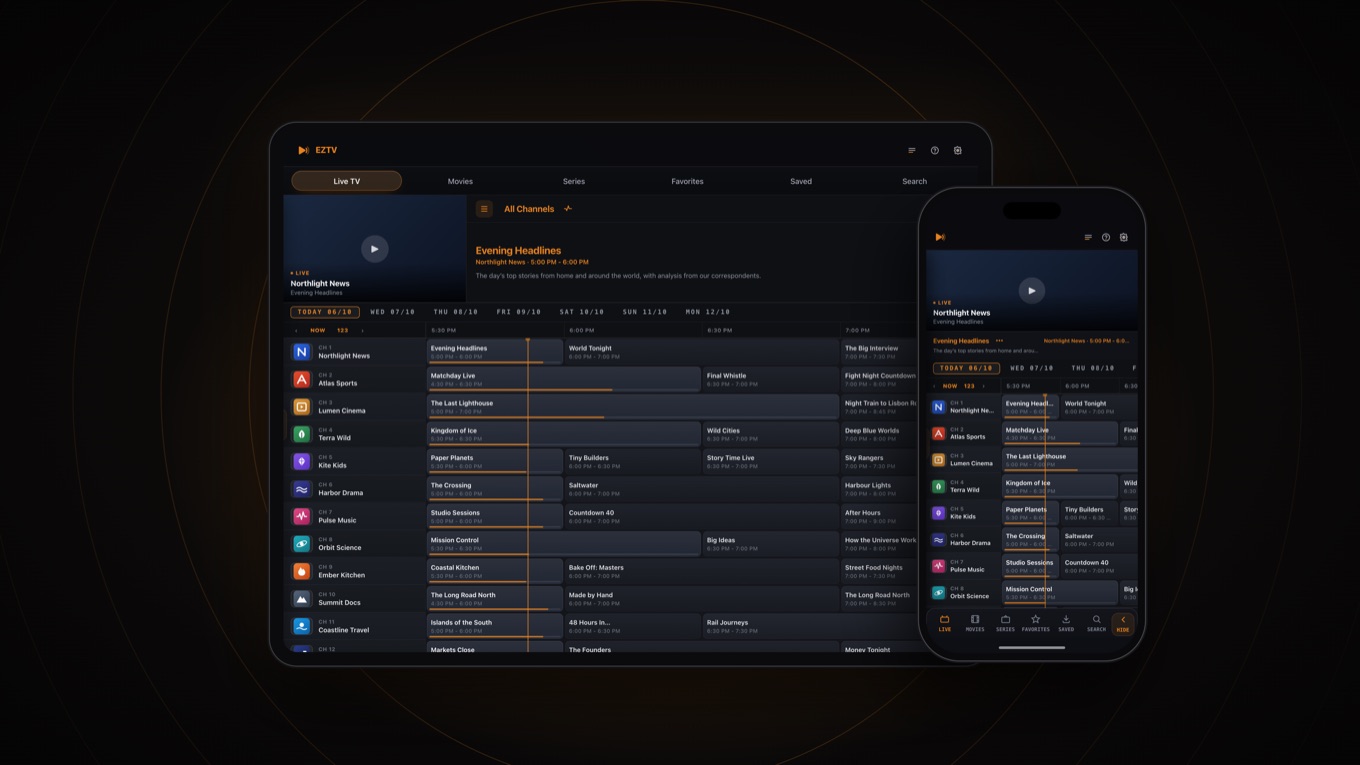
See what’s on
Browse the live guide, preview channels and set reminders for programmes you want to catch.
Get back to what you love
Save favourite channels and find your next episode in Continue Watching.
Watch your way
Choose audio and subtitles when your stream supports them, or keep watching in Picture in Picture.
Start watching
- Open EZTV and choose Add a playlist.
- Select Link for an M3U URL, or Provider login for a server address, username and password.
- Tap Connect and choose a channel. You can also try the app with the Demo playlist.
Choose how you watch
Included
Free
Watch your playlist with the live guide, search and favourites. Includes EZTV ads.
One-time purchase
Premium
Remove EZTV ads, add more playlists and back up favourites and progress for one device at a time.
Monthly or annual subscription
Gold
Get Premium and keep favourites and watch progress in step on up to five linked devices.
Common questions
Are TV channels included?
EZTV is a player. Add a playlist or provider login you’re authorized to use, or try the small demo with public sample streams.
Why won’t my playlist connect?
Check the full server address or link and confirm with your provider that your access is active. If a stream stopped after switching devices, close playback on the other device and retry. Some providers allow one connection at a time.
How do I restore a purchase?
Use Restore purchases in EZTV’s Account settings with the Apple Account you used to buy it.